
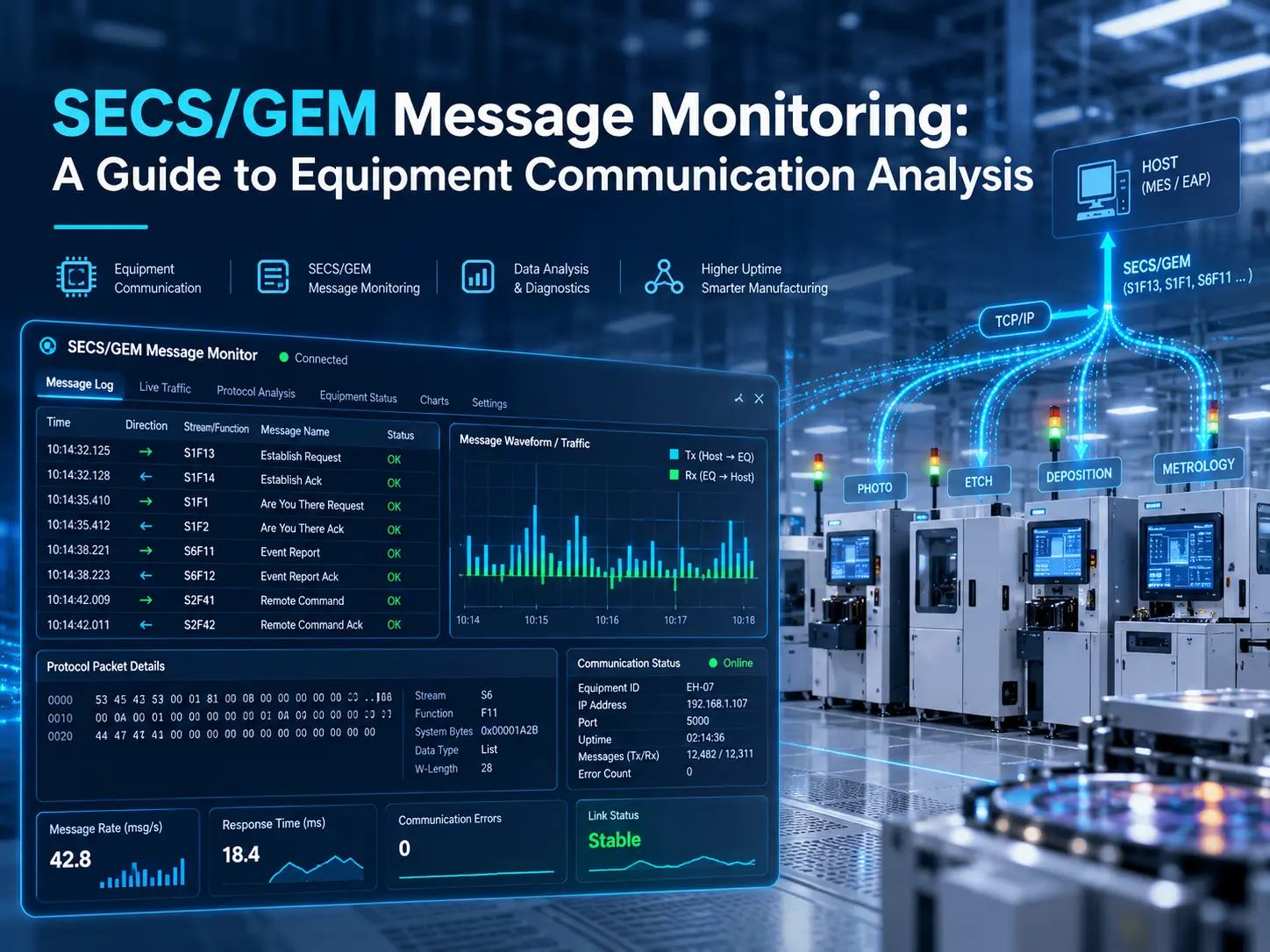
Every wafer a fab processes depends on steady communication between equipment and host systems. When that communication falters, recipes fail to download, lots wait, and engineers lose hours guessing where the problem began. SECS/GEM message monitoring gives teams a clear view of that conversation. By following the messages exchanged between a tool and its host or MES, engineers can spot missing responses, communication errors, and integration gaps before they disrupt production. This guide explains what message monitoring involves, which messages matter most, how to troubleshoot common problems, and how eInnoSys supports reliable semiconductor equipment connectivity.
What Is SECS/GEM Message Monitoring?
SECS/GEM message monitoring is the practice of observing and interpreting the messages that semiconductor equipment and host systems exchange. Three standards shape that exchange. SECS-II (SEMI E5) defines message content, organized by stream and function numbers. The Generic Equipment Model, or GEM (SEMI E30), defines how equipment should behave, including how it reports status, events, and alarms. HSMS (SEMI E37) carries SECS-II messages over TCP/IP, replacing the serial links used by older SECS-I connections. Monitoring lets engineers see each message, its direction, and its reply. That visibility shows whether the equipment and the host or MES agree on what is happening, which is the foundation of effective SECS/GEM communication analysis. Engineers who want a broader primer can read our introduction to SECS/GEM.
Why Is SECS/GEM Communication Analysis Important?
Message analysis turns vague symptoms into evidence. Instead of debating whether the equipment or the host is at fault, teams can examine what was actually sent and received. It supports five practical goals:
- Communication troubleshooting: Find exactly where a session stalls, drops, or fails to start.
- Equipment integration: Confirm a new tool behaves as the host or MES expects during commissioning.
- Host command verification: Check that commands arrive, are accepted, and are acknowledged correctly.
- Alarm visibility: Confirm alarms reach the host with the right identifiers and details.
- Unexpected behavior: Rebuild the message sequence surrounding a surprising equipment event.
Without this evidence, teams often blame the wrong side of the interface. Message logs show who sent what, and when.
Key SECS/GEM Messages to Monitor
Each message pair below has a practical role in day-to-day analysis:
- S1F13/S1F14: One side requests to establish communication, and the other responds. Failures here block everything that follows, so check them first.
- S1F1/S1F2: An “are you there” check and its reply, which returns equipment identification such as model name and software revision.
- S1F3/S1F4: Status variable requests and responses, useful for verifying that reported values match what the equipment is actually doing.
- S2F41/S2F42: Host command requests and equipment acknowledgements. These are central to remote control and recipe-related actions.
- S6F11: Collection event reports that tell the host what the equipment just did, such as a process step finishing.
- S5F1: Alarm reports that signal abnormal conditions needing operator or host attention.
Supported messages and behavior depend on each tool’s GEM implementation and configuration, so always compare observed traffic against the equipment’s own documentation.
How Does SECS/GEM Message Monitoring Work?
Effective monitoring follows a repeatable process:
- Establish equipment-to-host communication, confirming the HSMS session is selected and active.
- Capture or access relevant messages using an appropriate method, such as equipment logs, host-side logs, or an approved monitoring tool.
- Review message headers, stream and function numbers, and message direction.
- Check requests, responses, acknowledgements, and timeouts, and note any message that never receives a reply.
- Correlate timestamps with equipment events such as state changes, alarms, or operator actions.
- Investigate communication problems by comparing the observed sequence against the expected one.
Keep monitoring safe and authorized. Use read-only, non-disruptive methods that never alter the messages they observe, and agree on the approach with equipment owners before touching a production tool. Plan any intrusive testing for scheduled maintenance windows rather than live production.
Common Communication Problems and Troubleshooting
The table below summarizes frequent issues seen during HSMS monitoring and message analysis.
| Problem | Possible Cause | What to Check |
|---|---|---|
| HSMS connection failure | Incorrect IP address, port, or active/passive configuration | Network settings, firewall rules, connection state, and session configuration |
| Missing responses | Equipment is busy, the message is unsupported, or the request is invalid | Expected reply message, abort messages, equipment logs, and GEM documentation |
| Communication timeouts | Network delays, equipment processing delays, or mismatched timer settings | T3 reply timeout, relevant HSMS timers, and network latency |
| Incorrect host commands | Invalid remote command name or incorrect parameters | S2F41 command name and parameter values, S2F42 acknowledgement, and command-specific results |
| Missing event reports | Collection events are not enabled, or reports and event links are incorrectly configured | Event enable status, report definitions, report links, and S6F11 traffic |
| Alarm reporting issues | Alarm reporting is disabled, or alarm configuration is incorrect | Alarm enable settings, alarm configuration, and S5F1 traffic |
Monitoring helps identify possible causes, but it does not automatically confirm every root cause. Combine message evidence with equipment logs, configuration reviews, and input from both equipment and host teams before changing anything.
Best Practices for Effective Message Analysis
Start with timestamped logs, because sequence and timing reveal most problems. Keep equipment-specific documentation close, since each tool’s GEM implementation differs. Study message sequences rather than isolated messages, and correlate them with equipment events such as alarms or state changes. Protect production by agreeing on monitoring methods with equipment owners first. Finally, document recurring issues carefully, including symptoms, evidence, and fixes. A simple, shared internal knowledge base shortens future investigations and helps new engineers learn how your equipment behaves. Review logs regularly, not only during outages, so you learn what normal traffic looks like. Share findings with both equipment and host teams too.
How eInnoSys Supports Equipment Connectivity
Message analysis is most valuable when equipment connects reliably in the first place. eInnoSys offers several paths:
- EIGEMBox: Adds SECS/GEM capability to compatible legacy equipment so it can communicate with SECS/GEM-based host systems.
- EIGEMEquipment: A SECS/GEM SDK with implementation services for equipment manufacturers building host communication into their tools.
- SECS/GEM integration services: Engineering support for equipment-to-host connectivity and manufacturing system integration.
These offerings address the connectivity and integration challenges that message analysis often exposes, from legacy tools with no GEM interface to new equipment that must meet fab requirements. Teams reviewing connection behavior can also consult eInnoSys’s HSMS (SEMI E37) reference page.
Conclusion
SECS/GEM message monitoring gives engineers visibility into equipment communication, faster troubleshooting, and more reliable integration. By understanding key messages, following a safe process, and documenting recurring issues, teams can resolve problems with evidence instead of guesswork. Whether you are commissioning a new tool or modernizing a legacy one, eInnoSys connectivity solutions and integration expertise help semiconductor equipment and host systems communicate dependably. Clear evidence keeps lots moving forward.
Related Articles
- The Role of SECS/GEM in Industry 4.0 and Smart Manufacturing
- Why Standardized Communication Matters in Semiconductor Manufacturing
- PLC and OPC UA to SECS/GEM: A Practical Path to SEMI Compliance
- Case study, Resolving SECS/GEM Integration Failures for a Leading U.S. Semiconductor Manufacturer


