
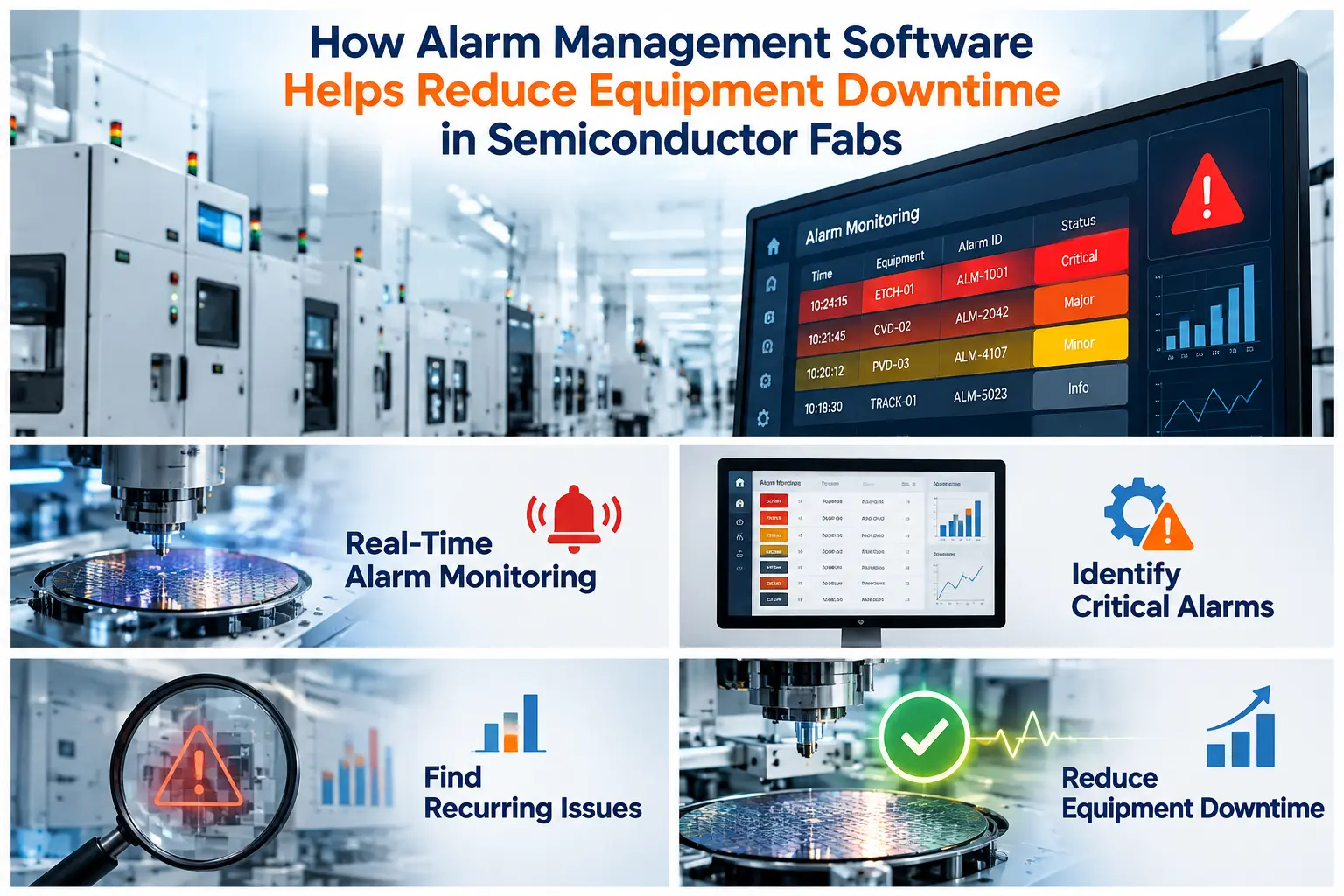
In a semiconductor fab, a single unattended alarm can scrap wafers worth far more than the tool it came from. Modern equipment generates thousands of alarms every week. Most are minor, a few are critical, and engineers often can’t tell which is which until the damage is done.
A Semiconductor Alarm Management System closes that gap. It captures every alarm, ranks it by impact, and can respond automatically. This article explains where downtime really comes from, how alarm management software reduces it, and what to look for when you evaluate a solution.
Why Alarms Drive Unplanned Downtime in Fabs
Equipment downtime is rarely caused by one dramatic failure. More often it builds up from small, repeated problems that nobody has time to analyze.
Here is what typically goes wrong:
- Alarm floods. Engineers receive too many alerts to prioritize, so important ones get lost.
- Slow response. A critical alarm is noticed minutes or hours after it occurs, and the tool keeps processing wafers.
- Manual handling. Whether the operator stops the tool correctly depends on shift, experience, and attention.
- No cross-tool visibility. Nobody knows whether a recurring alarm affects one chamber or an entire tool fleet.
- Scattered data. Alarm history sits in tool logs, spreadsheets, and individual memory, so root causes stay hidden.
Every one of these stretches the time between an alarm and a corrective action. That delay is the real cost.
What Is a Semiconductor Alarm Management System?
A Semiconductor Alarm Management System is software that collects alarms from fab equipment, usually through SECS/GEM, and turns them into structured, actionable information. Good alarm management software does three jobs:
- Monitors alarms from every connected tool in real time.
- Responds by triggering predefined actions without waiting for a human.
- Analyzes alarm history to show which problems cost the most production time.
This is different from basic alarm monitoring software, which only displays or forwards alerts. Monitoring tells you something happened. Management ensures the right thing happens next, and then shows you how to prevent a repeat.
5 Ways Alarm Management Software Reduces Equipment Downtime
1. Faster Response Through Automated Actions
The biggest gain comes from removing the human delay. When a critical alarm fires, the system can act immediately, based on rules your engineers define in advance.
Typical automated responses include:
- Stopping wafer input to the affected equipment
- Halting ongoing processing to prevent further damage
- Notifying the right engineers, operators, or maintenance team
- Switching the tool into maintenance mode
- Holding wafers for engineering evaluation
- Running custom actions that follow your fab’s own policies
Because the response is consistent, it does not depend on who is on shift or how busy the floor is. A problem that would have spread across several lots stays contained to one.
2. Lower MTTR With the Right Alert Reaching the Right Person
Mean time to respond (MTTR) falls when the right person gets the right alarm with context. Instead of a generic flood, a maintenance engineer receives a targeted notification that identifies the tool, the alarm, and the recommended action. Less time goes to triage, and more goes to the fix.
3. Pareto Analysis Shows Where Downtime Actually Comes From
Most fabs have a “gut feel” about their worst alarms, and the data often disagrees. An alarm Pareto report ranks alarms by frequency, so engineering time goes to the issues that matter most.
Two views are especially useful:
- Alarm frequency analysis reveals recurring issues and high-impact problem areas.
- Downtime tracking by alarm shows which alarms cause the most production loss.
When you fix the top three alarms instead of chasing all three hundred, downtime drops measurably. This is the shift from reactive firefighting to prioritized improvement.
4. Tool-to-Tool Comparison Exposes Hidden Problems
Comparing alarms across tools of the same type is one of the most underused capabilities in a fab. If one etcher generates three times the alarms of its identical neighbors, the issue is probably the tool, the chamber, or the maintenance history. It is probably not the process.
This kind of comparison supports equipment fault detection and catches degrading tools before they fail outright. It also gives equipment engineering managers objective evidence when planning preventive maintenance.
5. Fewer Misprocessed Wafers and Less Scrap
Downtime is not only about hours lost. A tool that keeps running through a critical alarm produces scrap, and scrap causes its own downtime through investigations, rework, and re-qualification. Stopping or holding wafers at the moment an alarm occurs protects yield and reduces the follow-on disruption.
What Results Can a Fab Expect?
Results depend on fab size, equipment mix, and how well alarm rules are configured. For reference, eInnoSys reports these outcomes for its alarm management system (EIAMS):
- A global semiconductor fab case study reported a 38% reduction in equipment downtime, along with a 22% improvement in OEE and lower wafer scrap.
- Across two fab deployments, eInnoSys reports prevention of misprocessing on 160 wafers per quarter, a 10% downtime reduction, and a 7% cycle-time improvement.
These are vendor-reported figures, so treat them as indicators rather than guarantees. Use your own baseline data to set realistic targets, and measure before and after.
How to Evaluate Alarm Management Software for Your Fab
Before you shortlist a vendor, check these points:
- SECS/GEM compatibility. The system should work with your existing equipment, including legacy tools, without invasive changes.
- Real-time operation. Delays of even a few minutes defeat the purpose.
- Configurable actions. Your fab’s policies are unique. Look for user-defined rules and custom actions, not fixed templates.
- Analytics depth. Pareto charts, drill-down into individual occurrences, and multi-tool reporting should be built in.
- MES and automation integration. Alarm data is most valuable when it connects to your wider fab automation environment.
- Support and implementation. Ask how alarm configuration, tool integration, and ongoing optimization are handled.
A Practical Starting Plan
You do not need to cover the whole fab on day one. A phased approach works well:
- Baseline. Collect current downtime, MTTR, and alarm volume for a pilot group of tools.
- Prioritize. Identify your top recurring alarms and the ones with the highest production impact.
- Define actions. Decide which alarms should stop the tool, which should notify, and which should hold wafers.
- Integrate and test. Connect the pilot tools and validate the response rules.
- Review and expand. Compare results to the baseline, tune the rules, and roll out to more equipment.
Conclusion
Equipment downtime in a fab is as much an information and response problem as a hardware problem. A Semiconductor Alarm Management System gives your team faster reactions, clearer priorities, and consistent protection against misprocessing. The result is higher OEE, shorter MTTR, and better yield.
If you want to see how this works on your own equipment, explore eInnoSys’s Alarm Management System and book a demo with the team.


